
When one timer
just isn't enough
Cooking, studying, working out — built for every moment when a single timer falls short. A clean multi-timer app that lets you run as many timers as you need, all on one screen.
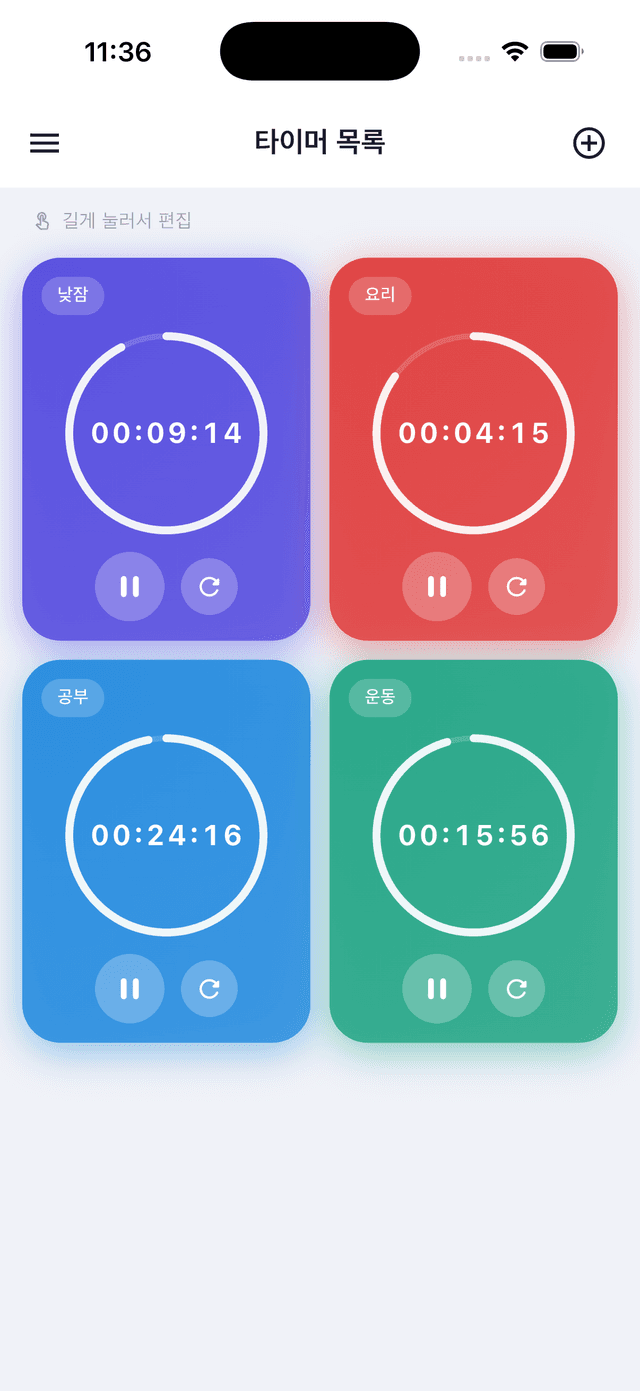
⏱️ Multiple timers
Add as many timers as you want and run them all at once. Give each one a name and color so you always know which is which.
⚡ Quick presets & custom times
Tap a preset (1 min, 3 min, 5 min…) for instant setup, or dial in any custom duration for a perfectly personalized timer.
📱 Background operation & notifications
Timers keep running even when the app is closed or you switch to another app. An alert and vibration notify you the moment time is up.
🎨 Personalization & dark mode
Choose from 8 colors to tell timers apart at a glance, reorder them to match your workflow, and enjoy full dark-mode support.
💡 Frequently Asked Questions
Q. Do timers keep running after I close the app?
Yes. Timers continue in the background, and you'll receive a notification when each one finishes. Make sure to allow notification permission so alerts reach you.
Q. I'm not receiving notifications.
Go to Settings → Timer-ya → Notifications and verify that notifications are enabled.
Q. Is there a limit on how many timers I can add?
No limit — add as many as you need.
Q. Can I undo a deleted timer?
Tap the Undo button that appears at the bottom of the screen immediately after deleting. It disappears after a few seconds, so act quickly.
Q. How do I edit a timer?
Long-press a timer card to open the edit sheet, where you can change its name, duration, and color.
📋 Technical Info
Version
- Current version: 1.4.0
- Supported OS: iOS 14.0+ / Android 5.0+
Privacy
- Timer-ya stores all your timer data on-device only.
- Nothing is sent to external servers — use it with complete peace of mind.