Two rules, that is all
Exactly one star in every row, column and colored region. Stars may not touch, not even diagonally.
Coming soon · No in-app purchases
A logic puzzle about placing stars. Every puzzle has exactly one solution, so you can solve it by reasoning alone, no guessing.
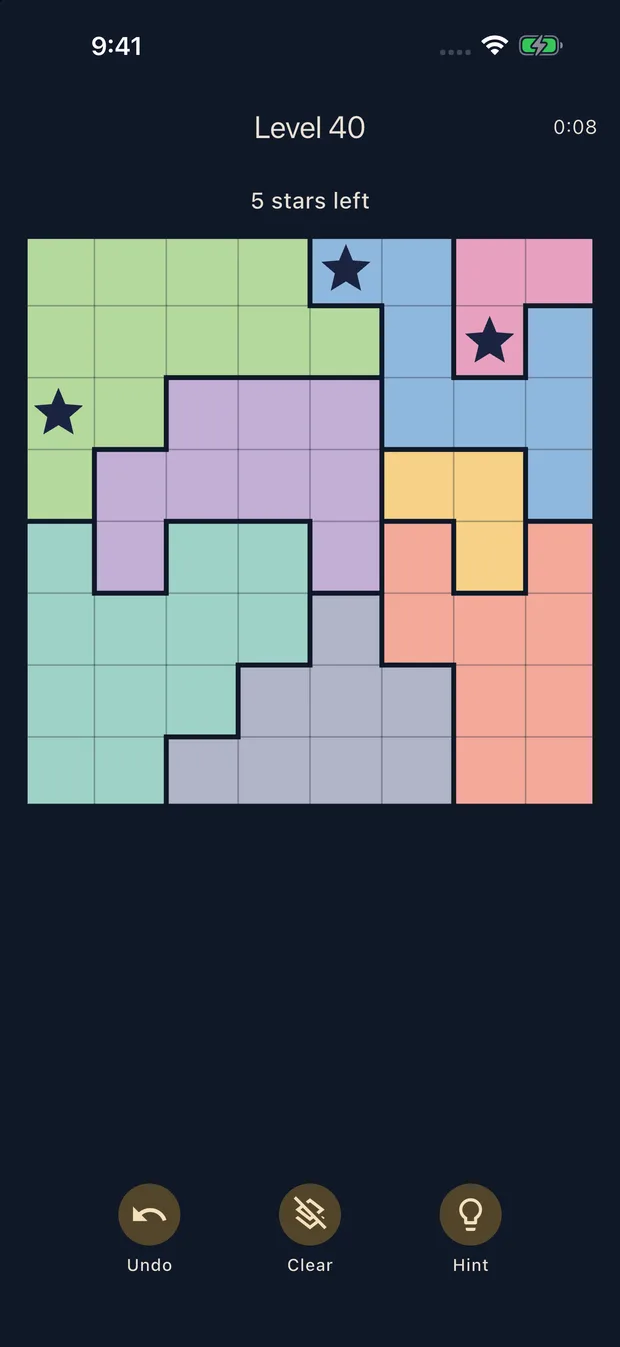
One star per row, column and region
Exactly one star in every row, column and colored region. Stars may not touch, not even diagonally.
Every puzzle is built to have exactly one solution. Start at 5×5 and work up to 10×10, with no end to new puzzles.
The same 8×8 puzzle opens for everyone each day. Copy your result and compare times with friends.
Each puzzle you solve lights a star in a constellation. Collect all 12, from Cassiopeia to Scorpius.
Tap a cell to cycle empty → ✕ → ★. Mark cells that cannot hold a star with ✕ to narrow things down. Drag across the board to mark many cells at once. Stars that break a rule turn red.
Yes. Every puzzle is generated and checked to have exactly one solution before you see it. When stuck, count how many cells in a row or region can still hold a star.
Tapping Hint first asks whether you want to watch a short ad. After the ad, a wrong star is removed or a correct star is placed. If no ad can be loaded, you get the hint without an ad.
Yes. On the same date, every device opens the same puzzle. The date follows your device clock. There are no leaderboards or server records.
Every puzzle you solve for the first time, level or daily, lights one star in the constellation you are filling. Replays do not count. Tap the constellation on the home screen to see your night sky.
A banner sits below the puzzle. After your first five puzzles, a full screen ad may appear when you move on after finishing a few puzzles. Full screen ads never appear while you are solving. There are no in-app purchases or ad removal products.
Yes, puzzles work offline. Ads and ad-supported hints need a connection.
On your device only, with no account. Removing the app or changing devices may lose your progress. There is no transfer between devices.
In regions where ad consent is required, a Privacy settings button appears on the home screen. You can change your choice there at any time. See the privacy policy for details.
Email us your app version, device, and the level or date where the problem happened. Never send passwords or verification codes.
[email protected]